Skip to content

Try a tattoo on your own photo.

See where your idea could sit before you talk to an artist. Add a photo and your artwork, then move, resize and rotate the design into place.

No account or upload needed. Your images stay in your browser; download only when you choose.

Your placement preview

Local to this browser

Bring your photo and a design.

Start with a clear photo of the area, then add artwork to test its position.

Your images stay in this tab. Nothing is uploaded or added to your account.

JPG, PNG or WebP · up to 10 MB / 20 MP

JPG, PNG or WebP · up to 10 MB / 20 MP

A transparent PNG works best. For dark artwork on white, keep “Blend white background” on.

3. Adjust placement
50%
50%
40%
0°
85%

A flat placement mockup for size and position. It does not predict healed ink, skin curvature or whether an old tattoo can be covered. Export size is capped at 2,048 px on the longest side.

Use the preview to start a conversation.

A placement mockup helps compare how a design fits an area. A tattoo artist still needs to assess anatomy, line weight, skin and any existing ink.

  1. Use a clear, straight-on photo

    Keep the area evenly lit. Avoid filters and strong shadows that hide the shape of the skin.

  2. Try more than one size

    Leave space around the design and compare it with the area’s natural lines. This tool does not measure real-world dimensions.

  3. Take the mockup to an artist

    Ask what needs redrawing and how placement changes as the body moves. Use the export as a reference.

Working around old ink? Start with cover-up ideas and our cover-up planning guide. A new design must work with the darkness and shape already there.

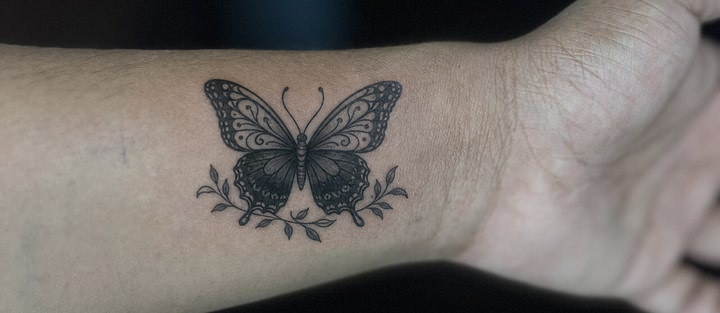
A cover-up concept on a real photo.

This example pairs a licensed source photograph with a cover-up concept generated separately through APIPod. The try-on tool above places artwork you already have, locally in your browser. AI concept generation is available separately in the Cover-Up Studio under its own plan and credit limits.
Tattoo try-on questions

How can I try on a tattoo with my own photo?

Choose a clear photo of the area and an image of your design. Drag the design into place, adjust its size, angle and opacity, then download a PNG. Transparent PNG artwork works best; dark artwork on white can use the blend option.

Are my photos uploaded or stored?

This placement tool reads images inside your browser tab. It does not send them to InkReborn or save them to your account. Clear both images or close the tab to remove the working images. Your downloaded PNG stays wherever your browser saves it.

Will the preview show whether my old tattoo is covered?

No. This is a flat placement mockup for comparing size and position. It does not simulate old-ink show-through, skin curvature or healed results. For a cover-up concept and a simulated honest preview, use the Cover-Up Studio, then consult a tattoo artist.

Is this an AI tattoo generator?

No. This tool places artwork you already have on a photo. It does not call an AI model or use design credits. If you need a new cover-up direction, the separate Cover-Up Studio generates concepts under its own plan and credit limits.